Keybindings & Tabs
| Key | Action |
|---|---|
↑/↓ |
move through instances and their nested dbs |
s / r |
start/stop toggle / restart (confirm popup) |
[ / ] |
switch tab in the detail pane |
f |
maximize/minimize the focused pane |
p / l / c / t |
Top / Logs / Config / Toolbox |
u / l / j / c / m / n / p |
Users / Locks / Jobs / Crons / Mail / Neutralization / Params |
K |
kill -9 the selected process (Top and Processes tabs, confirm popup) |
L |
kill -3 the selected process, then jump to Stacks (Top tab) |
D |
dump stacks of all workers, then jump to Stacks |
S |
copy the instance's odoo shell launch command to the clipboard |
T |
show the full traceback behind an errors row (Logs Analysis tab) |
C |
copy the selected captured report's reproduce command (Reports tab, once something is captured) |
X |
replay the selected captured report against its backup, result shown inline (Reports tab) |
e |
cycle compact/explain/expand/clean (Config tab) |
A |
show all rows, inactive ones included |
| enter | run the selected tool (Toolbox tab, confirm popup) / run the selected analysis (Logs Analysis tab) / open a Jobs group / open a row's raw json (db tabs, Logs Analysis results) |
| escape | back out of a Jobs group, of a Logs Analysis run, or of a row's raw json |
/ |
search |
R |
refresh the active tab now |
q |
quit |
Some tabs on each side have no letter shortcut — cycle to them with
[/] or click: Processes, Stacks and Logs Analysis (instance mode), Queries,
Modules and Reports (database mode). A plugin-contributed tab (e.g. POS,
see below) has none either.
A asks odoo-db for the rows it filters out by default (its --all
flag). Against a host whose odoo-db predates that flag, the tab falls
back to the default rows and A says so instead of doing nothing.
Moving around
Three zones, walked with the arrow keys: the instances list, the tab strip, and the tab body.
instances list  ──enter, or ↓ off the last row──►  tab strip  ──↓──►  tab body
       ▲                                              ▲  │              │
       └──────────────────── ↑ ───────────────────────┘  └───── ↑ ──────┘
                                                          (at its top row)
enter is the way in rather than ↓, because the list is a tree: an
instance with databases nested under it is never the last row, and ↓ there
belongs to the row below it — which is a database, carrying the other mode's
tabs. On the strip, ←/→ move between tabs and ↑ goes back to the list;
in the body, ↑ at the top row goes back to the strip, and anywhere else it
scrolls as usual.
While the pane is maximized (f) the strip keeps ↑ to itself — the list
isn't on screen to go back to, and f is what leaves that view.
The letter shortcuts and [/] still jump straight to a tab from anywhere,
and Tab/Shift+Tab still cycle focus.
Modes
The detail pane mode-switches on whatever's highlighted in the instances list:
- Instance mode — an instance row is highlighted. Tabs: Top, Processes, Stacks, Logs, Logs Analysis, Config, Toolbox.
- Database mode — one of its nested database rows is highlighted. Tabs:
Queries, Users, Locks, Jobs, Crons, Mail, Neutralization, Modules, Params,
Reports, Toolbox, plus POS when the opt-in
posplugin is enabled (see below).
Both modes share the same tab strip, and several letter-key shortcuts are
reused across them for whichever tab they map to in each (e.g. l is Logs
in instance mode, Locks in database mode).
Instance mode tabs
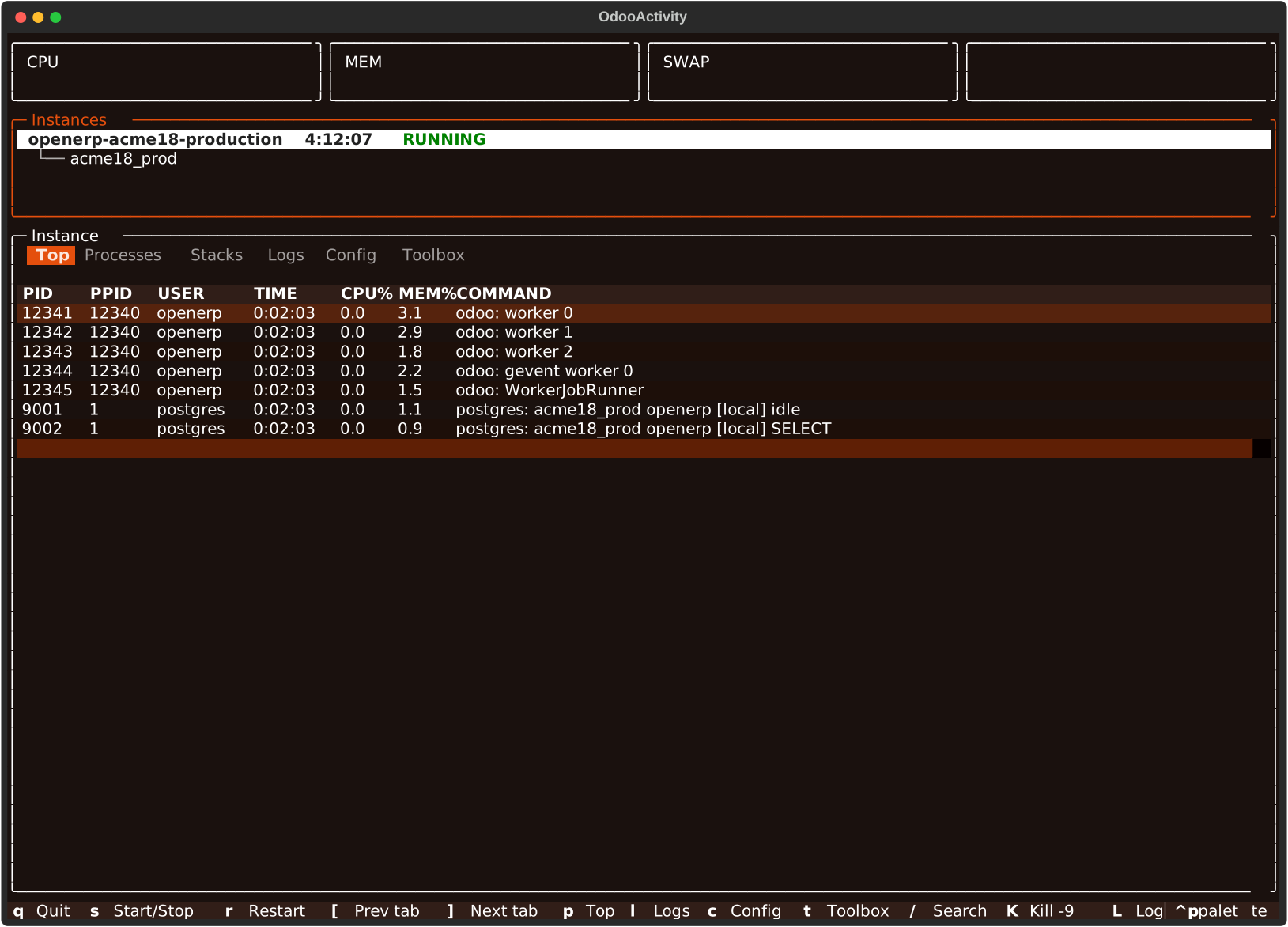
Top (p)
Every worker under the instance's master pid — ps -eo
pid,ppid,user,%mem,args, walked down from the master, sorted by live CPU%.
Processes
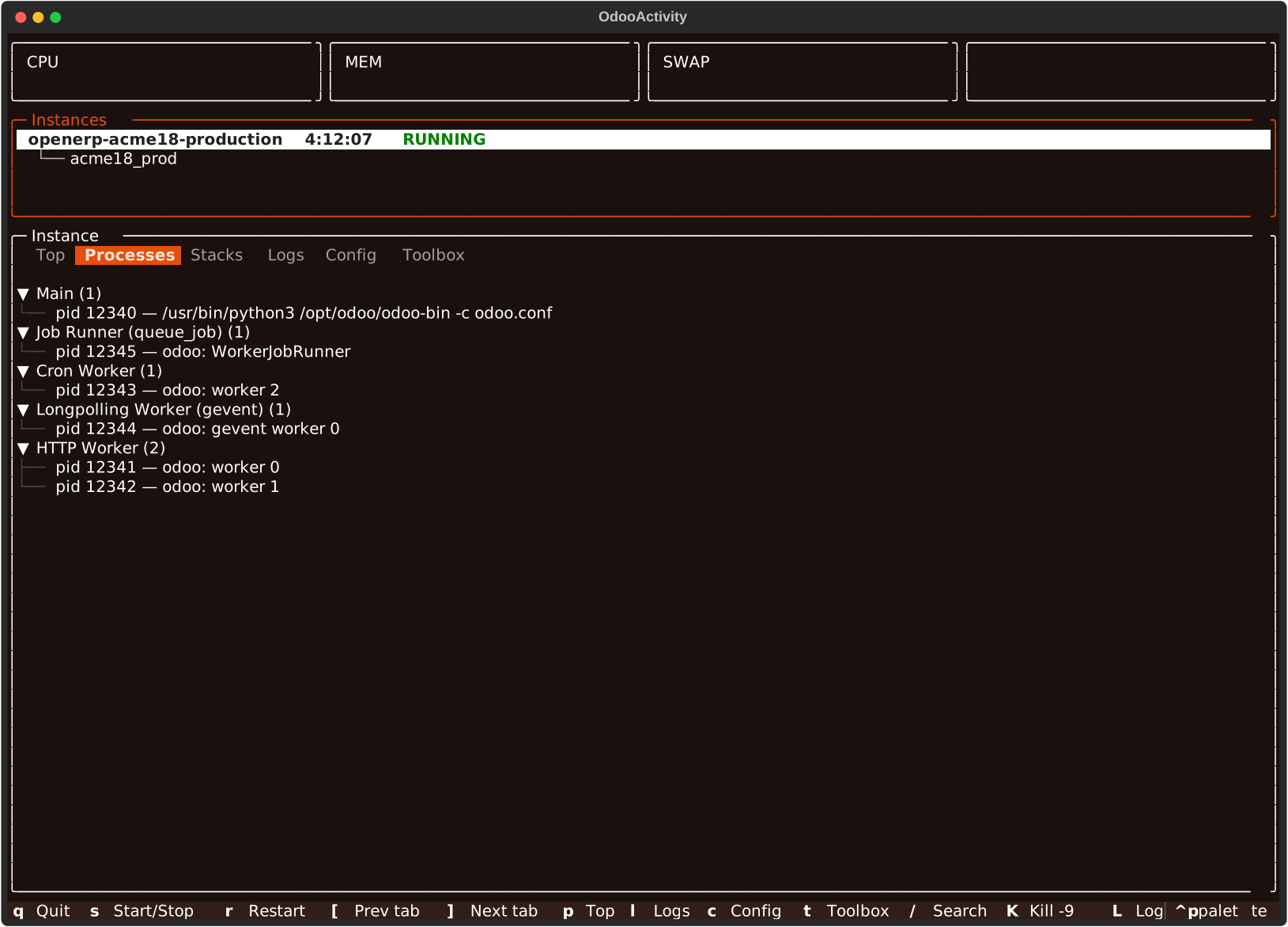
The same workers, grouped by role instead of sorted by load — Main, Job Runner (queue_job), Cron Worker, Longpolling Worker (gevent), HTTP Worker. Only refreshed when the tab is (re)opened, unlike Top. See Architecture for how a role is detected.
Stacks
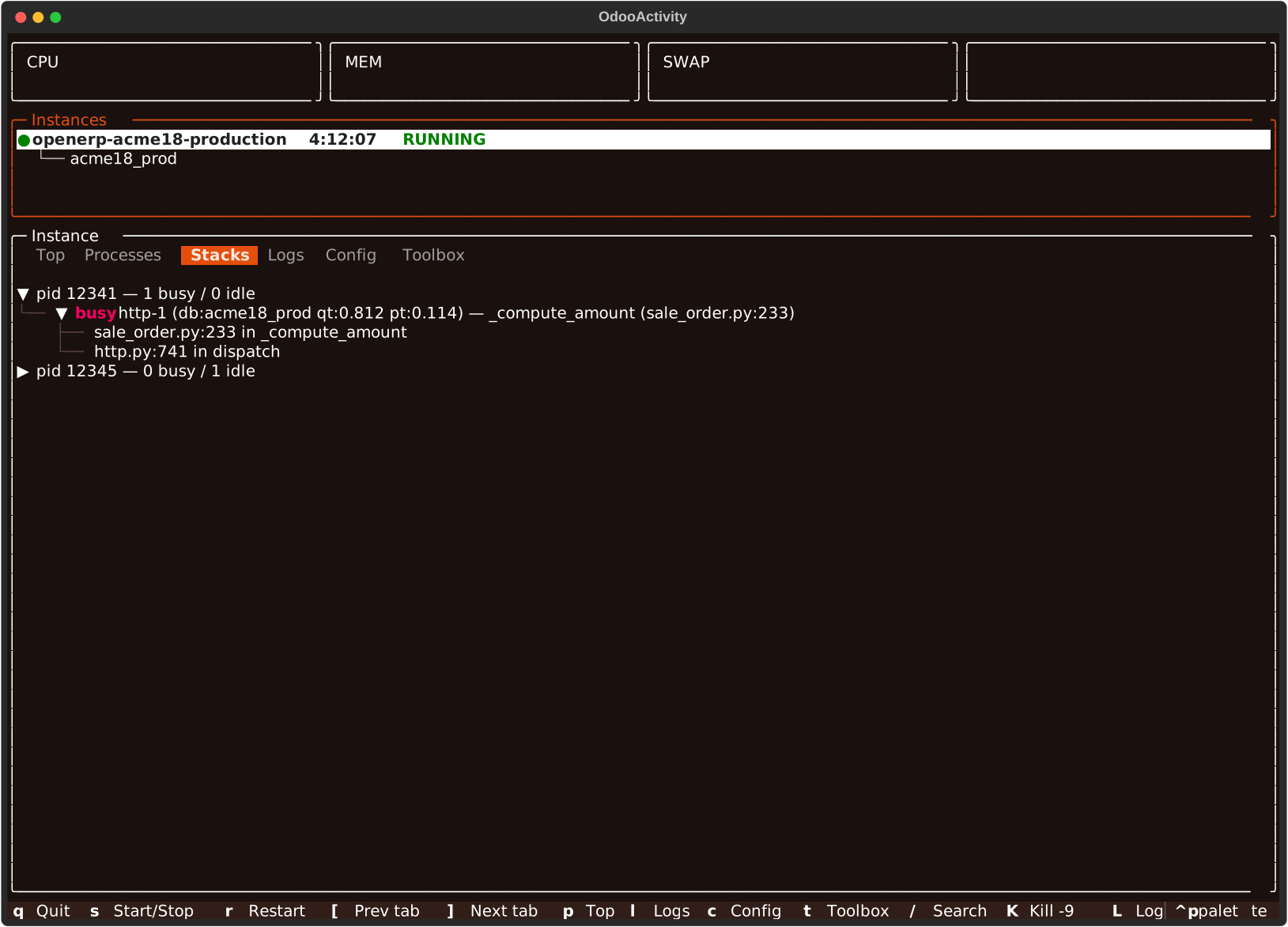
Parsed dumpstacks output, busy threads first, so a wedged worker's own
call stack is the first thing visible. D dumps every worker and jumps
here; L does the same for one selected process (Top tab).
Logs (l)
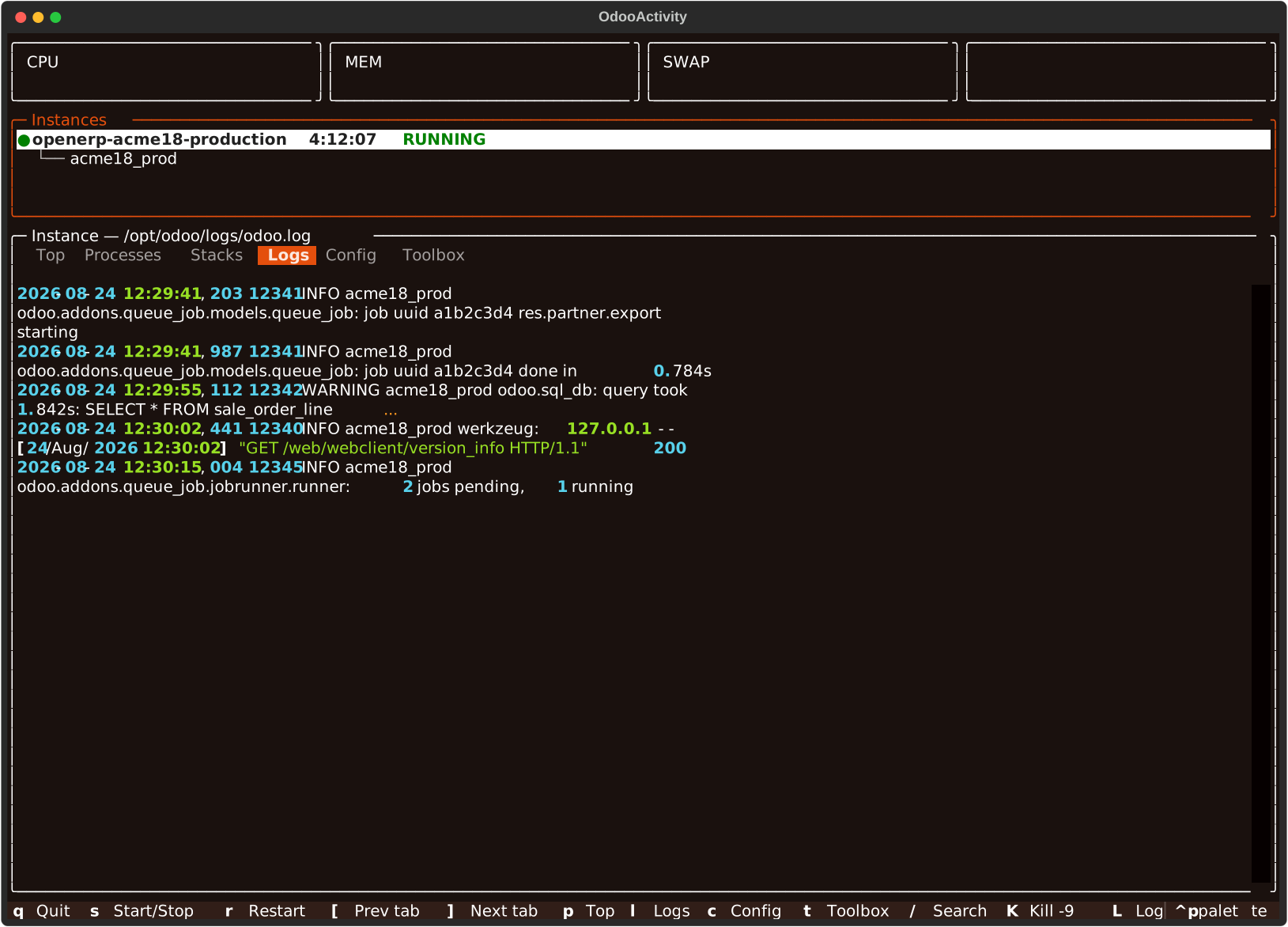
Tails the instance's configured logfile, reading backward in fixed-size
chunks so a multi-GB file costs a few reads, not a full scan.
Logs Analysis
Lists odoo-logs's 10 analyses (errors, cron history, logins,
outgoing mail, timing, ...), each with its own one-line description; nothing
runs until one is picked — same list-then-select shape as Toolbox. The picked
analysis runs as a memory/CPU-limited subprocess against the instance's
logfile and its rotated .gz siblings; R re-runs it in place instead of
backing out to the list. Once results are showing, / filters them and
enter opens a row's raw json, same as a database tab. escape backs out:
once from a row's raw json, again from the result to the list of analyses.
On errors, its grouped row only carries a count and first/last seen — T
runs a second, --verbose-backed odoo-logs call scoped to that exact group
and shows the real traceback text instead of the row's json.
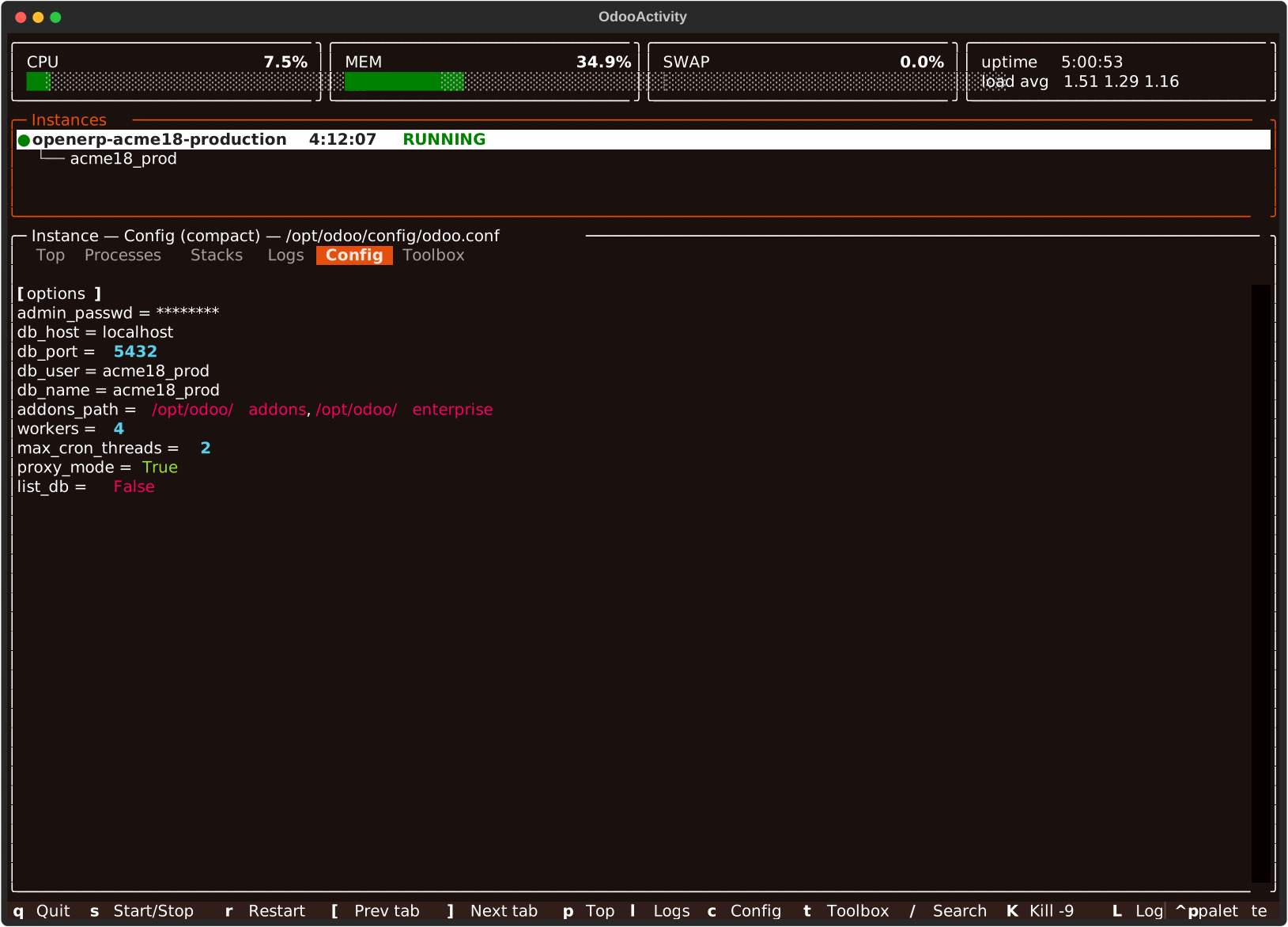
Config (c)
e cycles odoo-config's compact/explain/expand/clean views of
the instance's config file — see odoo-config's CLI docs
for what each one shows.
Database mode tabs
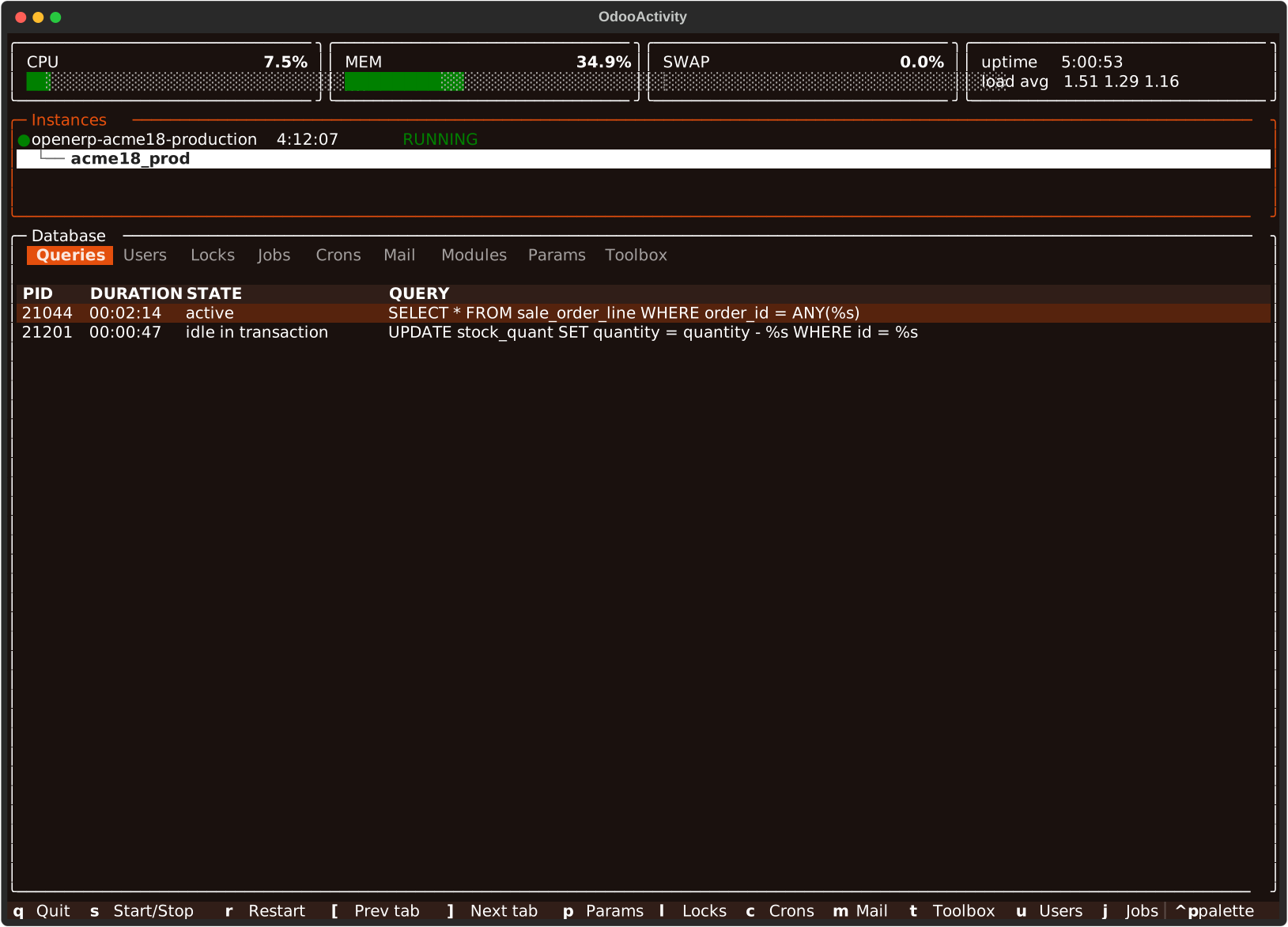
Queries
odoo-db's long-running queries against this database — pid, how long
each has been running, its state, and the query text itself.
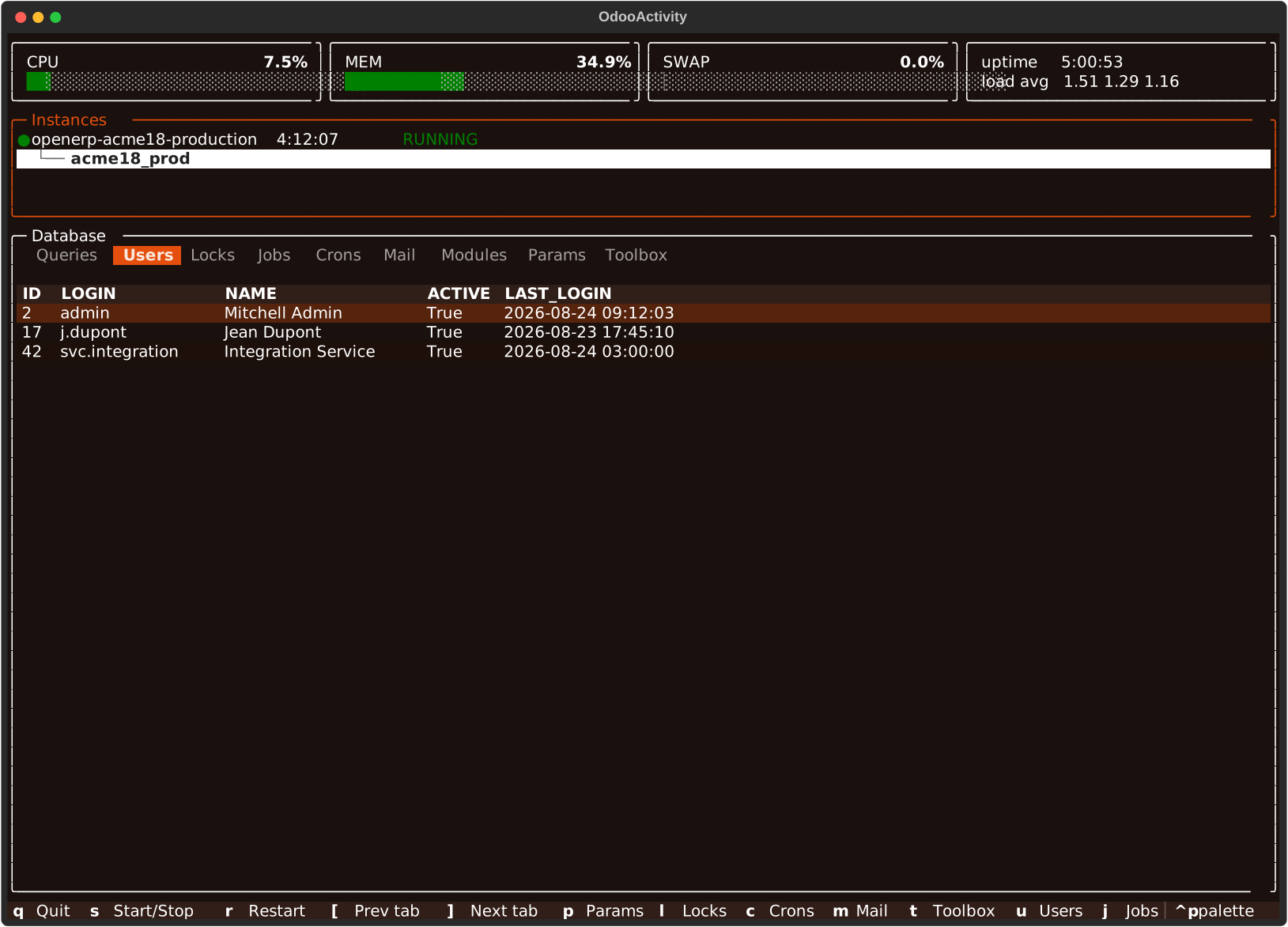
Users
Every res.users row on the database.
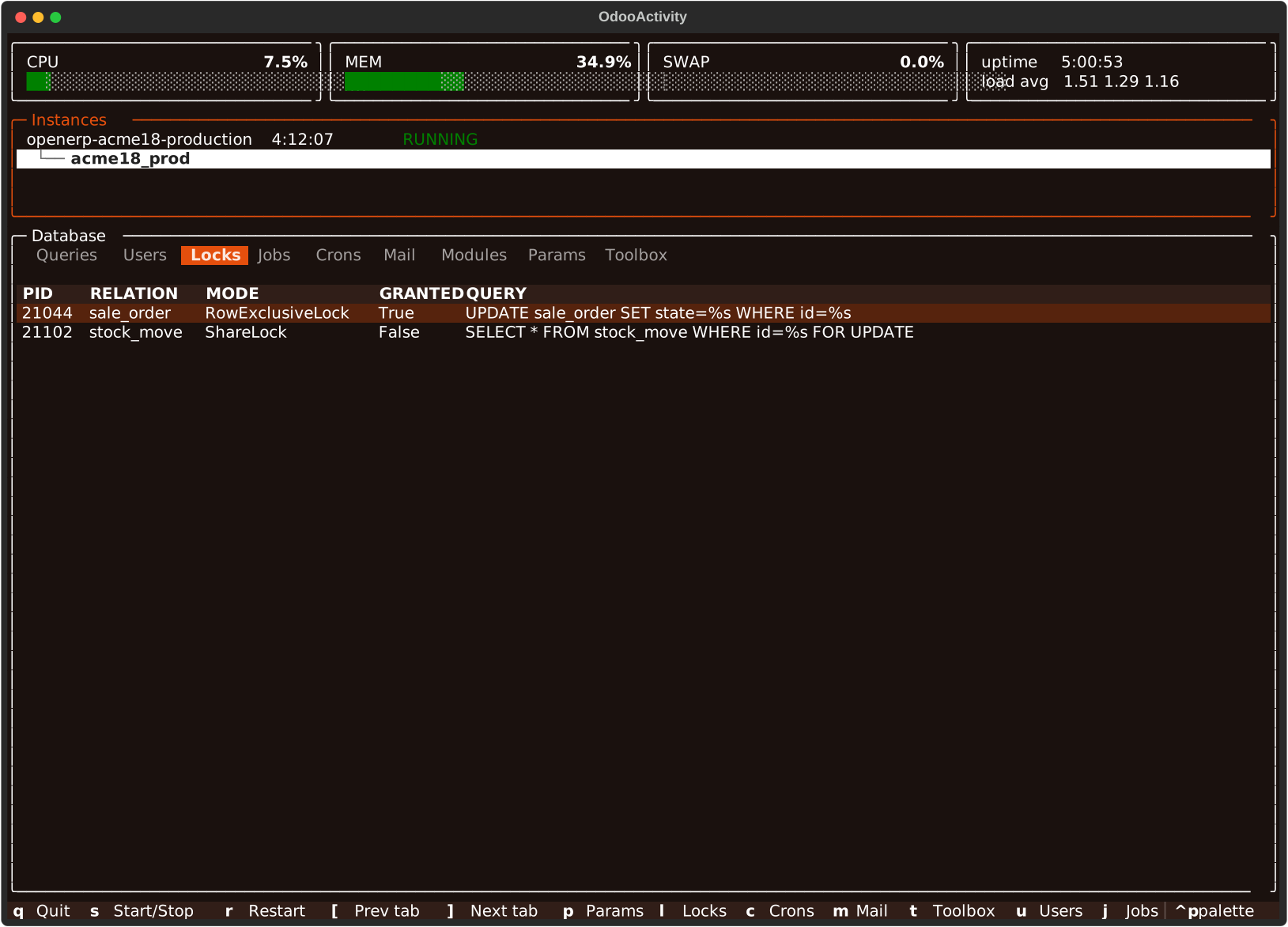
Locks
Postgres locks currently held or waited on against this database.
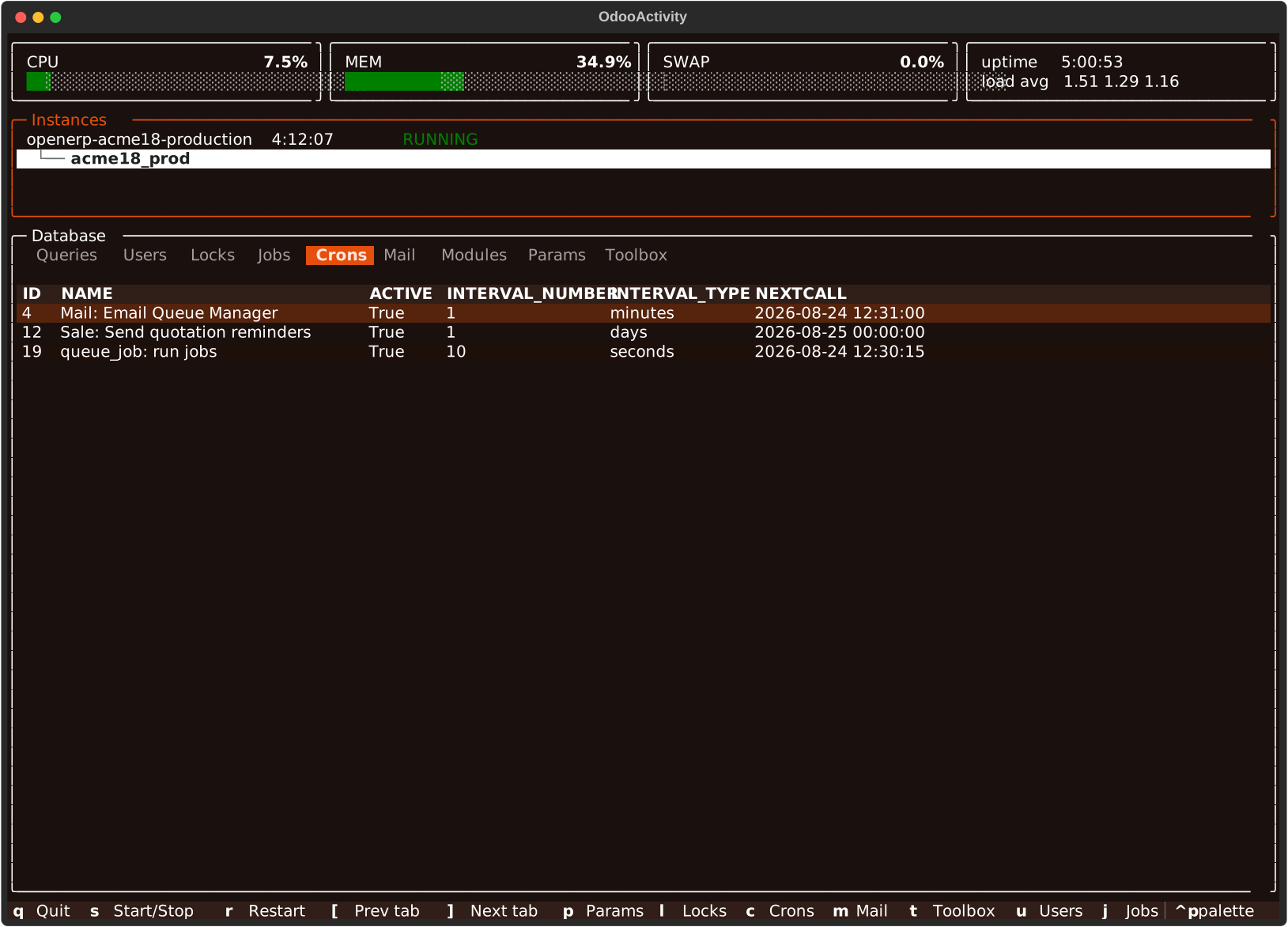
Crons
Every ir.cron row — active state, interval, and next scheduled run.
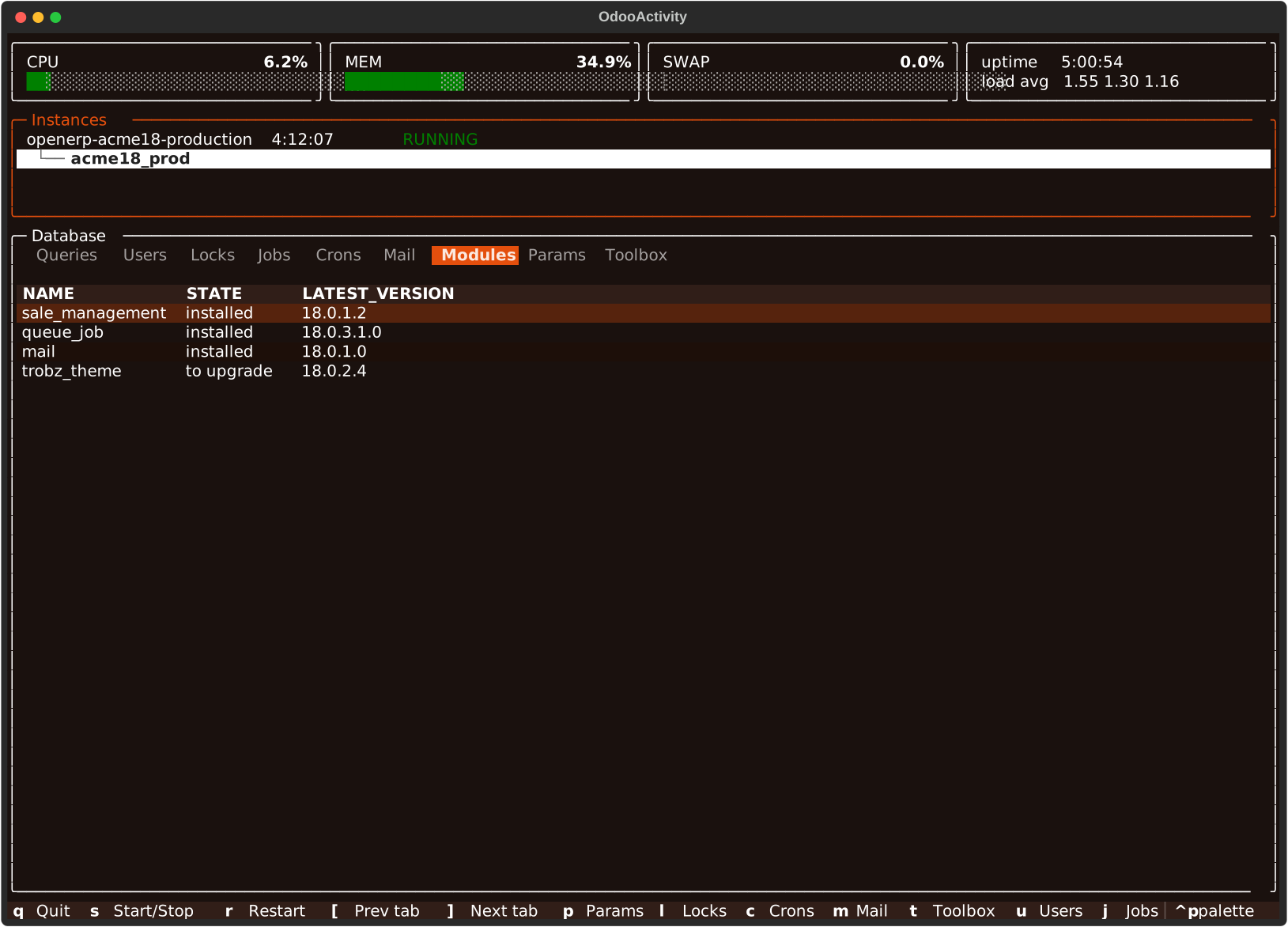
Modules
Installed/to-upgrade modules on this database.
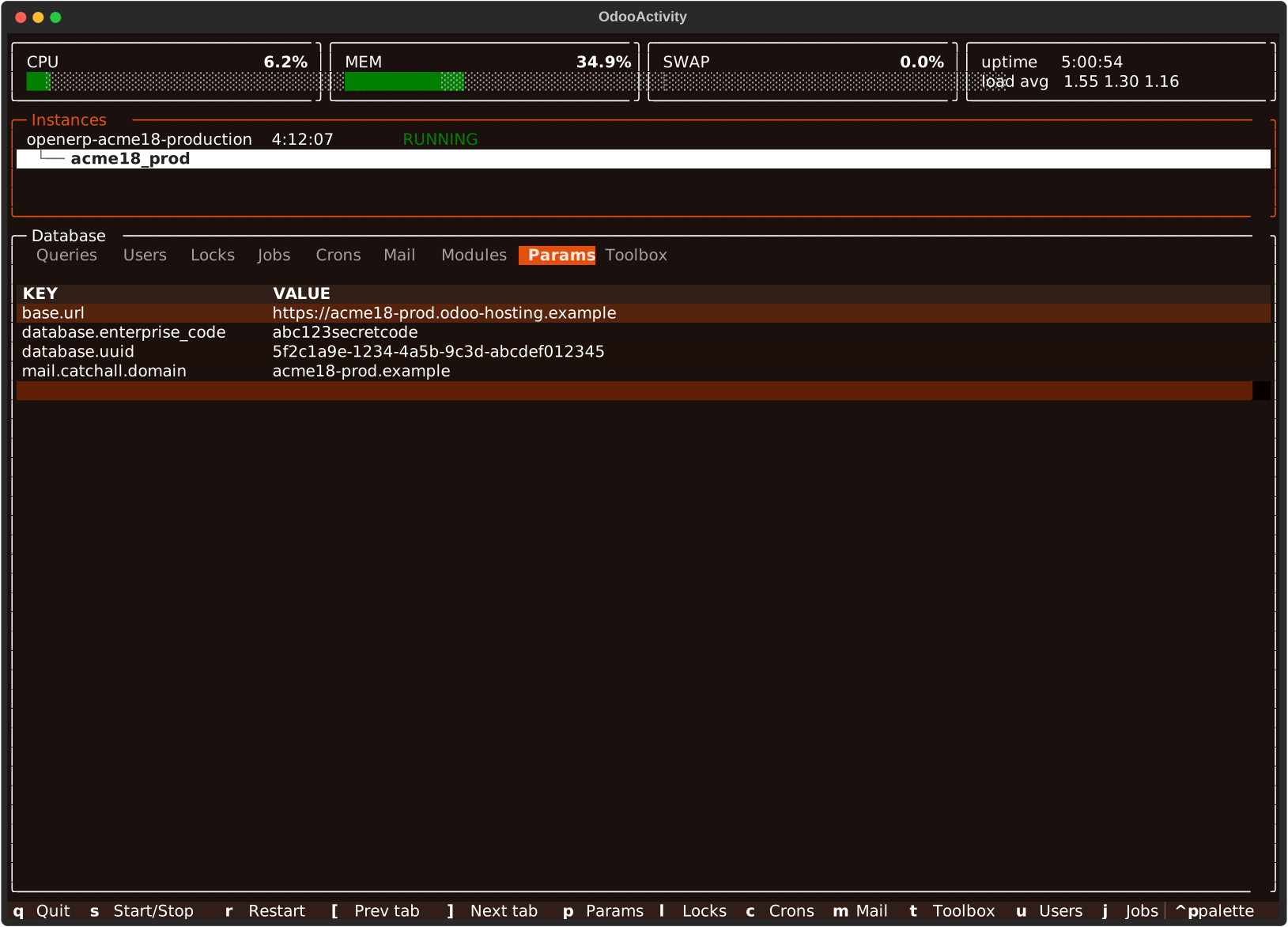
Params (p)
ir_config_parameter rows; / filters by key or value. Secret-looking
values (password, token, an enterprise_code, ...) show unmasked by
default — you already have a shell on this host. Pass
--no-include-sensitive-information to keep odoo-db's own masking instead.
POS
Opt-in — only present with --enable-plugins=pos (see
Plugins). Each pos.config's session (closed, or open with a
name and order count), when its latest session opened (Open Time) and
when its latest order was actually rung up (Latest Order) — a session
can open and close with nothing sold on it — the IoT Box on/off switch and
its proxy/device settings, its payment methods named explicitly (v14+ only),
and whether it waits for the terminal's own confirmation (per method on
v14+, one flag for the whole till on older versions). No letter shortcut,
no action strip — cycle to it with [/] or click, same
as Queries/Modules.
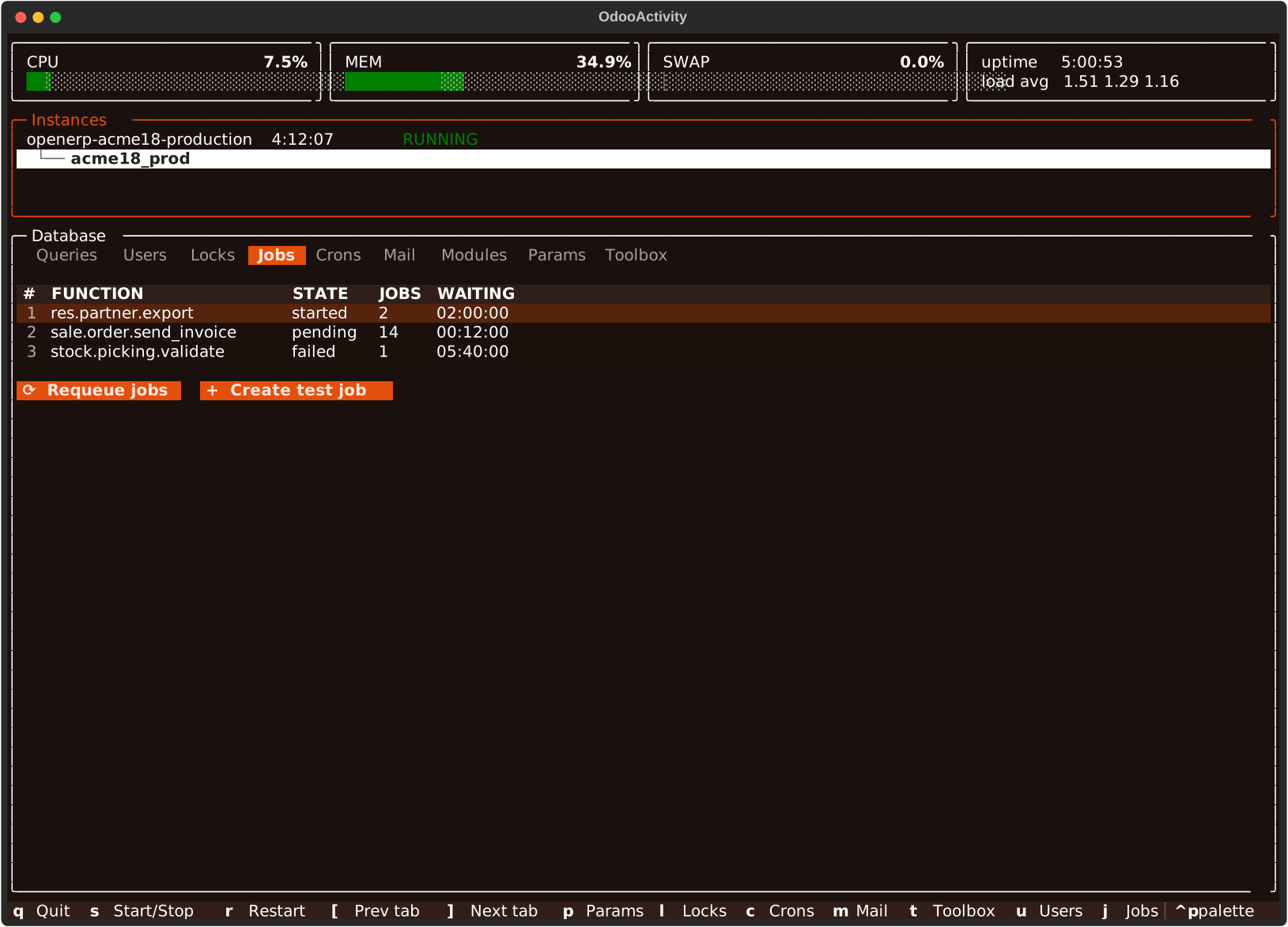
Jobs (j)
queue_job's jobs grouped by function and state, numbered, with the oldest
creation date and the longest wait/run in each group — which is what a job
stuck in started for hours looks like. Enter opens a group as its
individual jobs (numbered too, date_created/date_started each, oldest
first, capped at 500), escape backs out, and enter on one of those opens its
raw json.
Under the table is the tab's action strip — buttons that act on the
database rather than on the row under the cursor. Jobs has one: Requeue
jobs puts every started/enqueued job back to pending (after a
confirm popup — including jobs a live worker is still running, which will
then run again), clearing the dates that go with those states the way
queue_job's own set_pending does — what a runner does for its own dead
jobs at startup, for when a worker was killed mid-job and nothing else
will revisit the row.
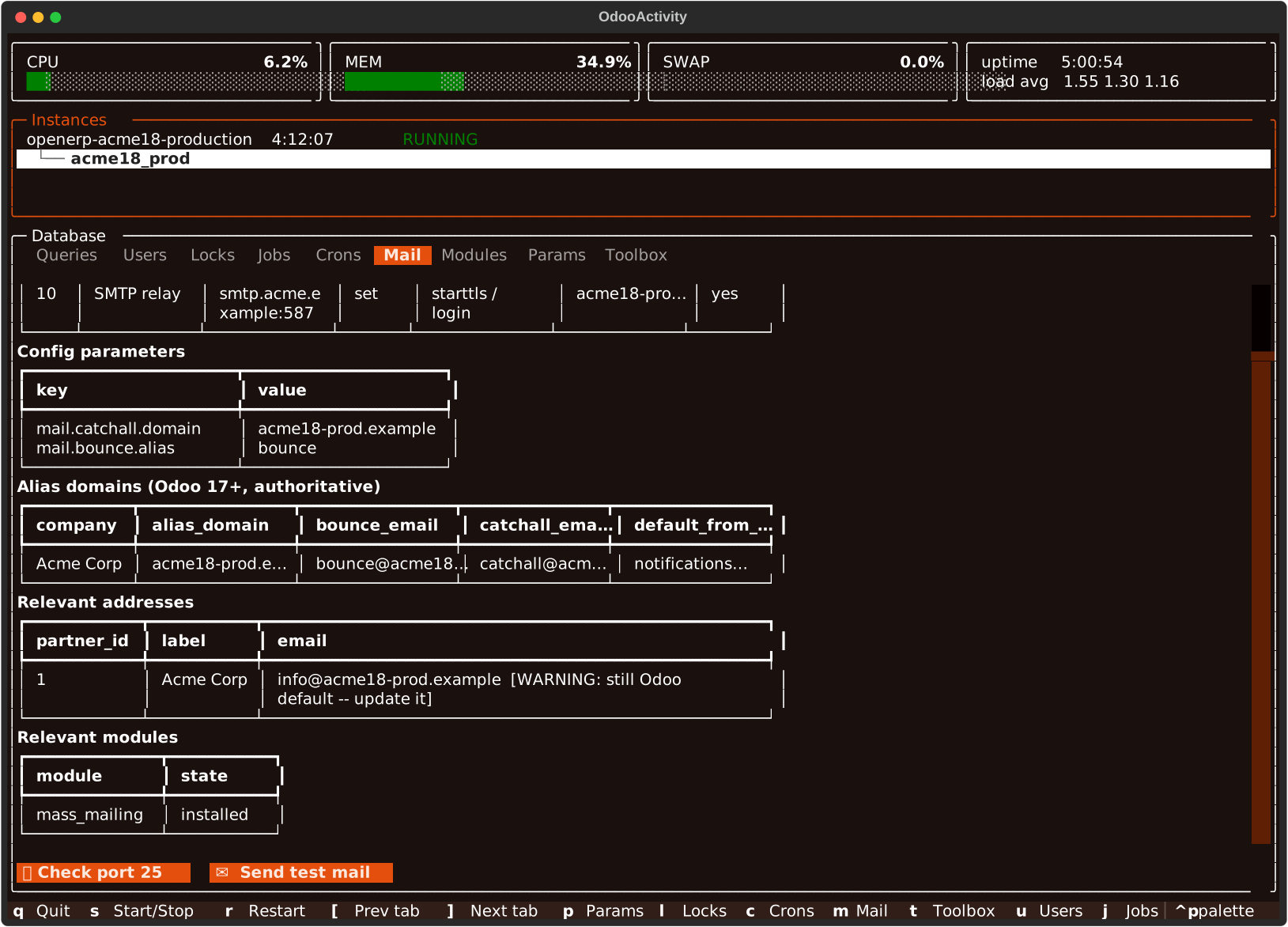
Mail (m)
odoo-db mail <db> audits outbound mail config (config parameters,
per-company alias domains, addresses, outgoing mail servers, relevant
modules) as one nested object rather than a flat row list, rendered as its
own set of tables in the log body. Outgoing mail servers is shown first,
with test-catcher/known-relay/neutralization-stub detection surfaced as
summary lines below the table. A neutralized database
(database.is_neutralized — every odoo.sh staging build) leads with its
own red banner, since it's the single most common reason mail never
leaves an Odoo database at all.
Mail always shows a Check port 25 button (no odooly needed — a plain
network probe): nc -z -w 3 localhost 25 on the target host, the question
that matters once mail_servers is empty and Odoo falls back to
localhost:25 for outgoing mail.
Neutralization (n)
odoo-db check-sensitive-information <db>, rendered as its own set of
tables like Mail. The db row's tag is the binary claim
(database.is_neutralized, off odoo-db list); this tab checks it, and
only when opened — it's a per-database read. The same run also tags each
other database.is_* that is true (ANON, OBFUSC, SHRUNK,
SAFE-TEST) and the dump's age (dump 142d).
The verdict leads, in odoo-db's own words so the tab and the CLI agree:
green where the claim holds and nothing below can reach the outside, yellow PARTIALLY NEUTRALIZED where the flag is set but a
surface each module's neutralize.sql should have cleared is still live (a
payment provider still enabled, an IAP token still billable, a live bank
feed) — treat such a database as production until they're cleared — and red
where it isn't neutralized at all.
Under it, a Database flags table lists every one of those flags as
yes/no/not set (never copied, or odoo-db too old to know it), plus the
dump timestamp.
Below that come the secrets neutralization never touches: it clears what a
database can do, not what it holds, and only for modules shipping a
neutralize.sql, which a client's own module never does. Config
parameters, mail relay credentials and candidate credential tables are in
this copy — and in any dump of it — whatever the verdict says.
Reports
odoo-db reports <db>, rendered as its own set of tables like Mail —
diagnostics for PDF report generation. Shows report.url/report.delay
(a stale report.url is the classic cause of a PDF that renders with no
CSS at all), whether OCA's report_wkhtmltopdf_param
(reporting-engine) is installed and its per-paperformat wkhtmltopdf CLI
argument overrides if so — those take precedence over
report.url/report.delay when present — plus two facts odoo-db has no
access to and odoo-activity reads directly from the host: the actual
wkhtmltopdf --version running, and PDF-related pip packages installed in
the instance's own venv.
No letter shortcut yet — cycle to it with [/] or click, same as
Queries/Modules.
Capture, the tab's other half: an Enable Capture button (offered
even when odoo-db itself is unreachable — Capture is pure ps + host
filesystem, no odoo-db involved) arms a watcher for every wkhtmltopdf
process Odoo runs on that instance — not just the highlighted database,
since a ps row has no way to name which database on a multi-tenant
instance triggered it. Each one caught gets its temp files (cookie jar,
header/footer/body HTML) backed up under ~/.oa-reports/ before Odoo
deletes them, usually within a second or two of the process exiting.
Once anything is armed or caught, the tab switches from Diagnostics to the
captured-report list — a normal row table, so it gets / search and enter
to open a row's raw json (its full command, parsed <base href>/CSS
links) for free, same as any other db tab. C (see the table above)
copies the selected row's exact command. X replays it against the backup
— the point of Capture: get the real wkhtmltopdf error instead of guessing
from Odoo's generic failure message. Odoo deletes the temp files as soon as
wkhtmltopdf exits, so X uploads the backed-up copies to a temp directory on
the same host, rewrites the command's paths to them, runs it there (where
report.url has to resolve) and removes the directory afterwards. The
cookie jar's session is gone too by then, so the replay fetches assets
anonymously. C copies the original command as it ran; its temp files no
longer exist. Disable Capture stops the watcher without
clearing what's already listed, or its backups on disk.
Capture state (armed instances, the captured list) lives at the app level,
not the tab's — it survives switching tabs or instances, and there's
currently no separate indicator that a different instance than the one
on screen is still armed. Backups under ~/.oa-reports/ are never
auto-deleted, and the captured-report list itself doesn't persist across
an oa restart (the backup files on disk do).
Odooly
Odooly ships as a plugin behind an extra — install it and it is active (see Plugins):
It then reads ~/odooly.ini at startup and matches each
database against it. Every database then carries an ODOOLY tag in the
instance rows' status column — green where an environment reaches it, and
the actions that need a login appear with it; red where none does, so a
database missing from the ini is visible rather than silent.
Matching is by name: the instance's, stripped of what only a process
manager adds (odoo-acme18-integration.service → acme18-integration),
against the section names — spelled either way (-integration /
-int, -staging / -stag, -production / -prod), and with a suffix
allowed, since a multi-db instance is usually configured one section per
database (acme18-int-db1). A section that names a database only
matches that one.
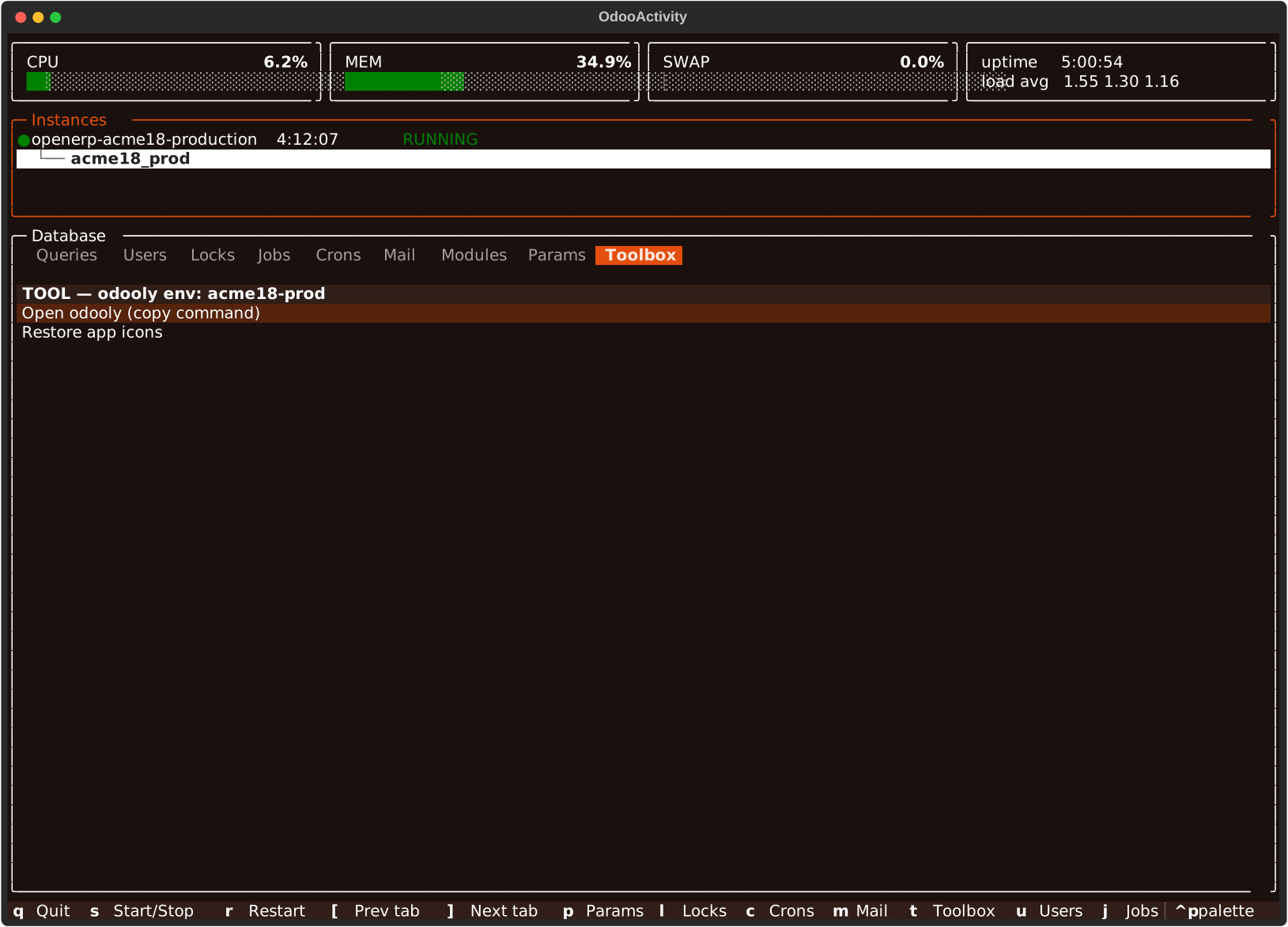
Database > Toolbox then offers:
- Open odooly — copies
odooly -c ~/odooly.ini --env <env>to the clipboard (-c, because odooly's own CLI looks for the ini in the working directory). - Restore app icons — for a database restored without its filestore,
where the apps menu comes up blank. It rewrites
web_iconon the menus whose icon data is missing, so running it twice is a no-op.
Jobs grows a Create test job button next to Requeue, which queues one
of queue_job's own test jobs to see whether a runner picks it up, and Mail
grows a Send test mail button, which prompts for a recipient and sends
one real email (calling .send() directly, so it goes out synchronously
rather than waiting on the mail queue cron) from the connecting user's own
company address.
All three scripts live in odoo_activity/plugins/odooly/scripts/ and run on their own
too:
python -m odoo_activity.plugins.odooly.scripts.restore_app_icons --env acme18-int
python -m odoo_activity.plugins.odooly.scripts.create_test_job --env acme18-int
python -m odoo_activity.plugins.odooly.scripts.send_test_mail --env acme18-int --to me@example.com
They always run on this machine, even when oa is watching a remote
host: odooly reaches the instance over the network, using the
~/odooly.ini that is here, not there.
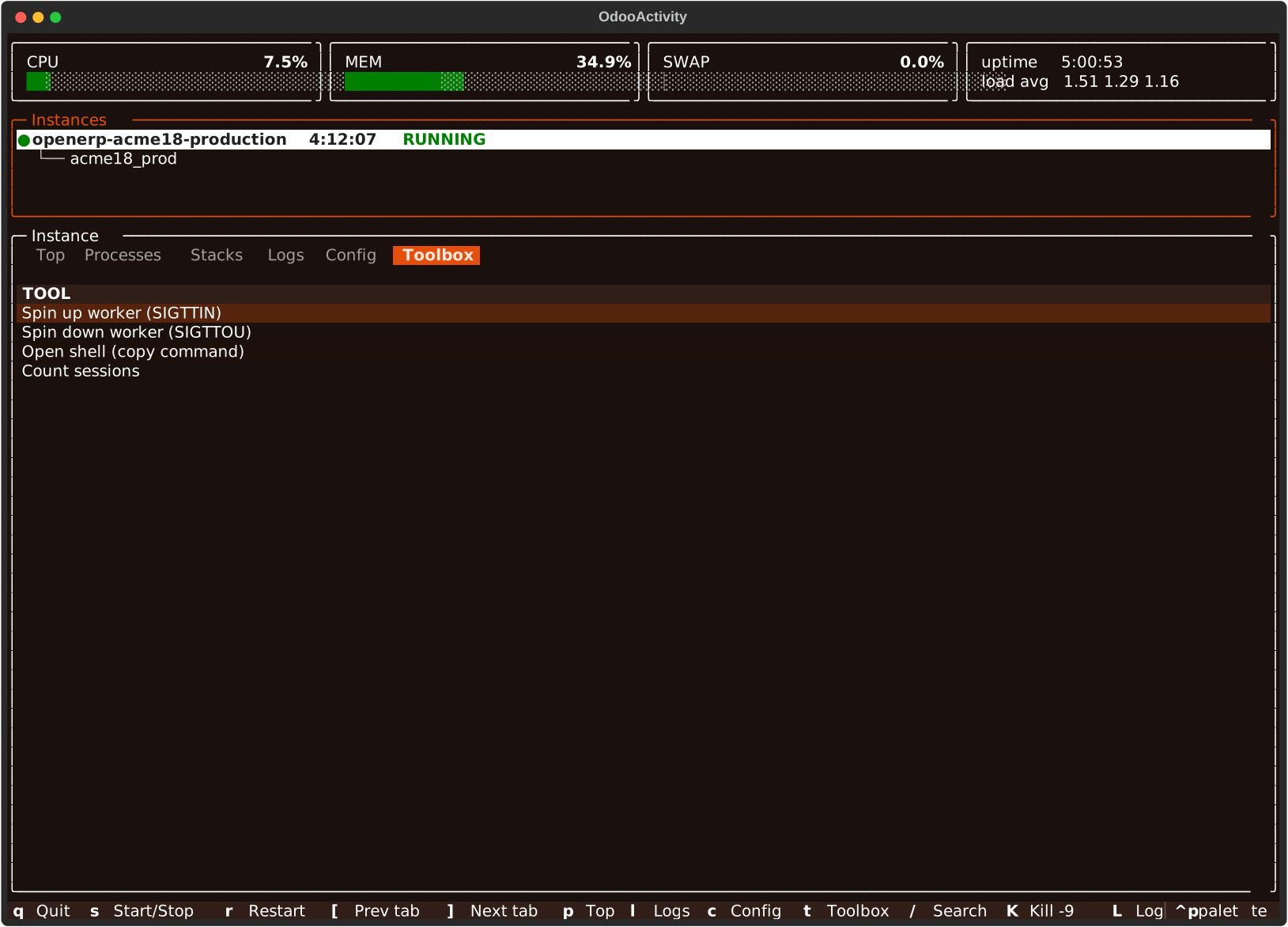
Toolbox (t)
- Spin a worker up (
SIGTTIN) or down (SIGTTOU). - Open shell — copies the launch command instead of signaling, so it needs no confirm.
- Count sessions under the instance's data dir (walks the filesystem, may be slow).
Remote hosts
The target is any ssh destination — [user@]host or a ~/.ssh/config
alias. Only the tools already required locally are needed, but on the
remote host. Connections are multiplexed, so the first call opens the
session and the rest reuse it.
Everything still refreshes on its own against a remote host, just on a
slower tick — host stats and Top every 5s, the instance list every 15s.
R refreshes the active tab immediately, plus the instance list and the
highlighted instance's databases.